How to Keep a Competitive Landscape Current as Trials Change

Updated: November 27, 2026
ClinicalTrials.gov listed the Phase 3 KRYSTAL-4 trial as recruiting in its November 17, 2026 update [1]. If your competitive landscape still says “Not yet recruiting,” your next briefing could leave out a trial that is open to enrollment.
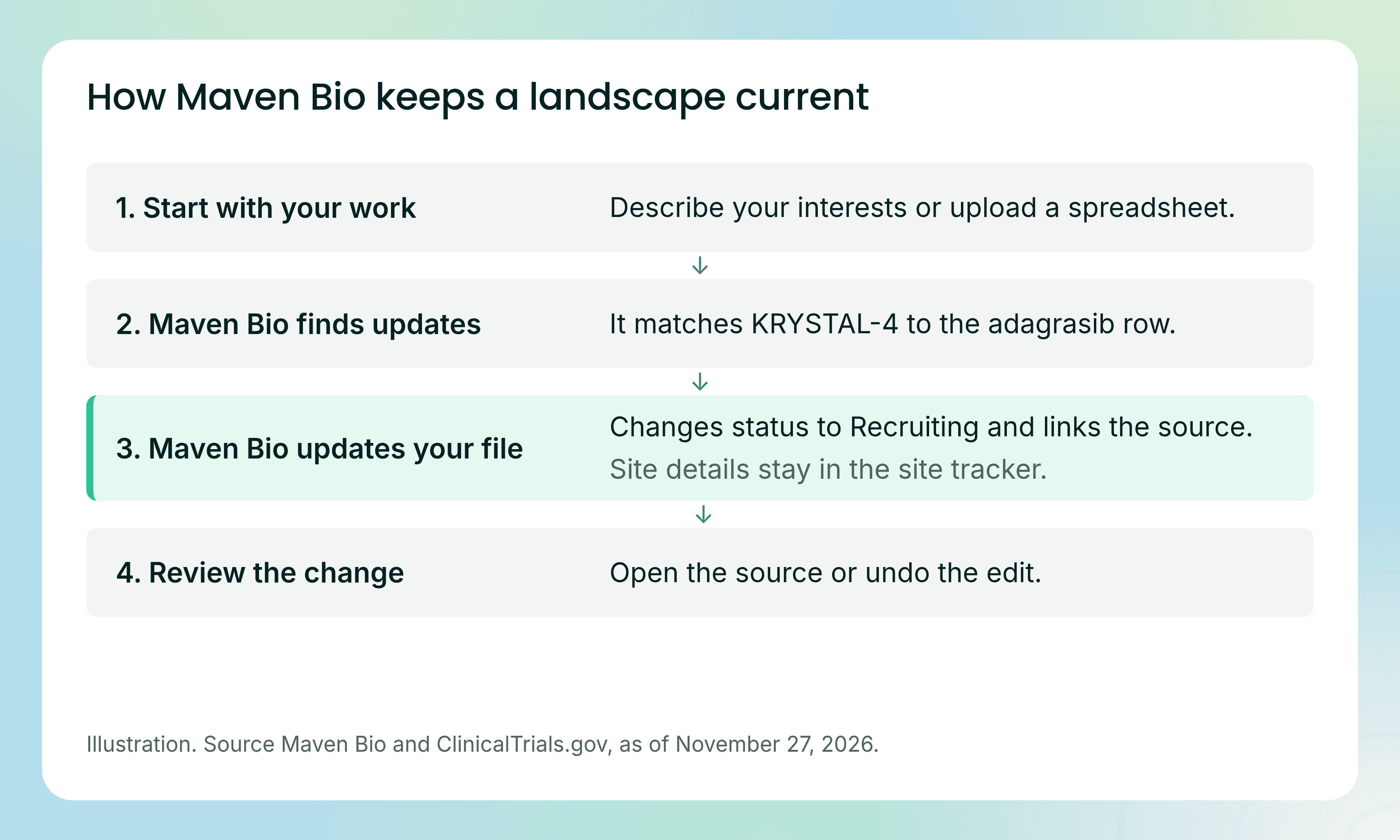
To keep a competitive landscape current when competitor trials change, describe what you want to follow in plain English or start by uploading the spreadsheet you want to maintain [2] [3]. The monitoring agent in Maven Bio Live Intelligence finds relevant updates on its own and can automatically edit your selected files, with a source link for each change. You review what changed in the spreadsheet and can undo an edit.
Start with a plain-English request or your spreadsheet
Tell Maven Bio what you want to follow. For example, write “Follow first-line trials for non-small cell lung cancer with a KRAS G12C mutation. Keep our landscape current when a trial opens, stops recruiting, or changes its primary outcome.” Monitoring by indication lets you start with the area you care about. Trial IDs can help you check an edit later and are optional at setup [3].
If you have a tracker, you can start by uploading it to your Maven Bio project and selecting it for monitoring. The agent uses your working file and any instructions you add as context when it assesses new evidence [2]. Add a rule for changes your team treats differently. In this example, record an estimated completion date that changes within the same quarter in a watch note and keep the briefing focused on changes that affect your plans.
Use the spreadsheet you already brief from so you can check a change against the last version your team saw. If you are building it from scratch, the indication-level competitive landscape guide shows how to organize rows by drug, indication, and treatment setting. Keep trial phase, recruitment status, and expected results timing in separate columns so that a change in one field has a clear place to go.
Let the monitoring agent find and match trial updates
The monitoring agent checks sources such as trial registries, sponsor updates, and conference publications for developments that fit your priorities [2]. The Maven Bio platform links trials to the drugs and programs they study [4]. In our November 27 research run, Maven Bio linked the first-line adagrasib combination row to KRYSTAL-4 (NCT06875310). The trial tests adding adagrasib to pembrolizumab and chemotherapy in previously untreated patients with locally advanced or metastatic non-squamous non-small cell lung cancer with a KRAS G12C mutation [1] [5].
If you track the same landscape by hand, each update means checking the registry, matching the trial to the right program row, and comparing the new value with the one in the spreadsheet. In our view, a data portal gives you records to connect and assess. A chatbot’s answer depends on the sources you give it and the ones it finds. The last step is getting the new value and its source into the file people use for the briefing.
When you use an update in a briefing, keep the date the evidence was posted beside the changed value. For KRYSTAL-4, November 17 tells readers when the registry version appeared [1]. If the date recruitment opened matters to your analysis, verify it from the registry history or the sponsor before including it.
Have Maven Bio update the spreadsheet when a change matters
With automatic edits, Maven Bio checks whether new evidence affects a selected file and updates it with the source attached [2]. The monitoring demo shows how the agent carries a finding into an existing file. In the KRYSTAL-4 example, a move to Recruiting changes the list of trials you can describe as open. A new site belongs in a site tracker if it affects an enrollment decision.
Keep estimated primary completion separate from the date you expect public results. Primary completion refers to the end of data collection for the primary outcomes [6]. Use sponsor guidance for the expected readout, and reopen a watch note if the completion estimate shifts into another planning quarter or the sponsor gives a new readout window.
The table shows a worked example of the file edits. The registry confirms the current Recruiting status and the September 7, 2029 baseline estimate. The old status in the spreadsheet and the shift to September 21 are illustrative [1].
| Field | Example before | What the workbook would show | Why |
|---|---|---|---|
| KRYSTAL-4 recruitment | Not yet recruiting | Recruiting in the first-line adagrasib combination row, with the ClinicalTrials.gov record posted November 17, 2026 attached | Changes which trials you report as open |
| Estimated primary completion | September 7, 2029 | Watch note for a hypothetical move to September 21, 2029 | Both dates fall in the same planning quarter |
| Individual site recruitment | Tracked separately | Site tracker entry if it affects enrollment plans | The program row reports the study’s overall status |
Review the edit before your next briefing
Open the updated cell and its source. For KRYSTAL-4, check that Recruiting is the overall study status and that the edit appears on the first-line adagrasib combination row. The maintained file in your Maven Bio project retains the revision history. Your team can inspect the previous value, undo an edit, and download the updated Excel file [2].
Keep monitoring the same competitive landscape between briefings. When another relevant KRYSTAL-4 change comes in, Maven Bio assesses it against your instructions and updates the selected file with the evidence attached when the change warrants an edit [2]. For your next briefing, use the updated row. Its source stays with the change your team is about to discuss.